Crimson Desert Enhanced Raytracing on PS5 and Xbox Series X Explained
Patch 1.03.00 adds Enhanced Raytracing for PlayStation 5 base and Xbox Series X, plus related lighting and reflection improvements across platforms.
Patch 1.03.00 adds an Enhanced Raytracing option for PlayStation 5 Base and Xbox Series X. It also improves indoor lighting quality, water surface reflections, and overly bright rain behavior across all platforms.
This is a graphics-focused change, but it is worth understanding carefully because the best setting depends on what you value more: image quality, stability, or performance feel.
Quick answer
After patch 1.03.00, Enhanced Raytracing is available under:
Settings > Video
Pearl Abyss specifically lists it for:
PlayStation 5 BaseXbox Series X
The same patch also adds PSSR Sharpness for PlayStation 5 Pro and makes broader all-platform visual improvements to indoor lighting, water reflections, and rain brightness.
What Enhanced Raytracing means in practice
The patch note does not describe every technical detail of the option, so players should avoid overreading it. The safe interpretation is that the setting changes raytracing-related visual quality on the listed consoles.
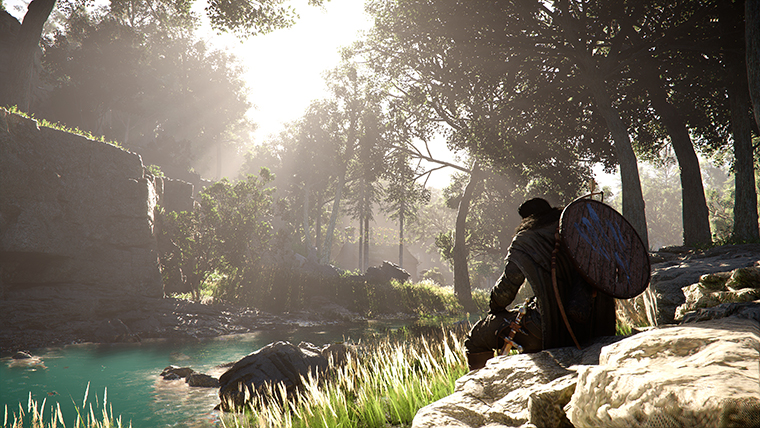
In practical terms, check areas where raytracing and lighting changes are most likely to be visible:
- interiors with lamps or windows
- reflective water surfaces
- wet areas after rain
- caves with mixed light sources
- settlements at different times of day
- scenes with shiny armor or stone floors
If you cannot see a meaningful difference in your normal play, you may prefer the setting that feels smoother.
How to test it
Use a simple comparison method.
- update to patch
1.03.00or later - go to
Settings > Video - find
Enhanced Raytracing - stand in an indoor area with visible lighting
- toggle the setting
- rotate the camera slowly
- test a water surface
- test a rainy or wet environment if possible
- choose the setting that looks and feels best
Do not judge the setting from one scene only. Raytracing-related effects can be more obvious in some locations than others.
Should PS5 players use it?
If you are on base PlayStation 5, test it and decide based on stability. If you value richer lighting and the game still feels smooth to you, keep it on. If you notice performance drops, input feel changes, or visual instability, turn it off and prioritize consistency.
If you are on PlayStation 5 Pro, note that patch 1.03.00 separately adds PSSR Sharpness, while Enhanced Raytracing is listed for PlayStation 5 base and Xbox Series X. Do not assume every graphics option applies to every console model in the same way.
Should Xbox Series X players use it?
Xbox Series X players should also test it directly. Patch 1.02.00 already made Xbox graphics settings a topic with its 4K upscaling option in Performance Mode, and patch 1.03.00 adds another visual control.
If you prefer image quality and the game remains comfortable, Enhanced Raytracing may be worth using. If you prefer the smoothest possible traversal and combat, compare carefully before leaving it enabled.
What about Xbox Series S?
Pearl Abyss lists Enhanced Raytracing for PlayStation 5 Base / Xbox Series X in the patch note. Because Xbox Series S is not listed there, do not assume the same option is available or behaves the same way on Series S.
Check your own settings menu after updating. If it is not there, it is not missing from this guide; it simply was not listed for that console in the patch note.
All-platform visual improvements
The same patch includes visual improvements that are not limited to the Enhanced Raytracing option:
- indoor lighting quality was improved
- water surface reflections were improved
- rain that appeared excessively bright from certain angles was fixed
These changes can improve the game even if you never touch Enhanced Raytracing. If the world looks better after the patch, it may be due to the broader visual updates rather than one toggle.
FAQ
Where is Enhanced Raytracing?
Check Settings > Video after installing patch 1.03.00 or later.
Which consoles are listed for Enhanced Raytracing?
Pearl Abyss lists PlayStation 5 base and Xbox Series X.
Is Enhanced Raytracing on PS5 Pro?
The patch separately lists PSSR Sharpness for PlayStation 5 Pro. Enhanced Raytracing is specifically listed for PlayStation 5 base and Xbox Series X.
Does the patch improve visuals even without the toggle?
Yes. It also improves indoor lighting, water reflections, and rain brightness across all platforms.
Conclusion
Enhanced Raytracing is a useful new graphics option for PlayStation 5 base and Xbox Series X players, but it should be tested instead of blindly enabled. Patch 1.03.00 also improves lighting and reflections more broadly, so every platform may see visual benefits. Use the setting that gives you the best balance of image quality and comfort.
What to read next
- Crimson Desert PS5/Xbox Graphics Modes and 120Hz Blurry Fix
- Crimson Desert PS5 Pro PSSR Changes After Patch 1.02.00
- Crimson Desert Xbox 4K Upscaling Performance Mode Explained
Sources used
- Pearl Abyss, Patch Notes Version 1.03.00: https://crimsondesert.pearlabyss.com/en-us/News/Notice/Detail?_boardNo=81
著者

カテゴリー
その他のガイド

How to Beat Myurdin in Crimson Desert
Full boss guide for Myurdin, the main antagonist of Crimson Desert, including both human and lava transformation phases, gear requirements, and winning strategies.

Crimson Desert Housing Guide
Crimson Desert does not currently work like a house-buying RPG. The housing-like system is centered on Greymane Camp expansion, furnishing, storage, and base utility.

How to Beat Cubewalker Lithus in Crimson Desert
Complete strategy guide for the Cubewalker Lithus boss fight in Crimson Desert — an optional mechanical boss at the Southern Quarry, defeated by targeting its cube head with Axiom Force.