Crimson Desert Inventory Category Tabs Explained
Inventory category tabs could become one of the most useful Crimson Desert quality-of-life updates because they attack menu friction instead of just adding more space.
Crimson Desert does not only have an inventory-space problem. It has an inventory-reading problem.
Players can come back from a short route with gear, ingredients, ores, quest items, bugs, crafting parts, valuables, recipes, and materials that are probably useful later but are hard to identify quickly. More slots help, but they do not fix that core issue. Category tabs might.
Quick answer
Inventory category tabs are expected to make the bag easier to scan by separating items into clearer groups instead of forcing players to sort one giant mixed list.
That matters because Crimson Desert already has:
- scalable
Private Storage - upcoming specialized storage categories
- a growing number of crafting, cooking, and collection systems
Tabs would sit on top of those systems and make the active bag easier to understand from moment to moment.
Why this matters more than it sounds
Quality-of-life features often get underrated because they do not look dramatic in patch notes. But a sorting improvement can change how the entire game feels.
When the inventory is hard to read, players do one of two bad things:
- keep everything because they are afraid to lose something important
- sell too much because the bag feels overwhelming
Both mistakes are common in Crimson Desert because so many items belong to overlapping systems. A cleaner tab structure reduces that decision fatigue.
What tabs should solve first
The exact names of the tabs are still unannounced, but the practical goals are obvious. Players need faster ways to separate:
- equipment
- consumables
- cooking ingredients
- crafting and tempering materials
- quest or collection items
- miscellaneous valuables and sellables
If Pearl Abyss gets that foundation right, tabs become a learning tool as much as a convenience feature. New players will understand item purpose faster simply by seeing where things land.
Why tabs and storage are not the same feature
This is the most important distinction to keep in mind.
Category tabs help you see your active inventory.
Specialized storage helps you remove the wrong things from your active inventory.
Private Storage helps you expand how much overflow you can keep.
Those three systems solve different layers of the same problem. That is why the late-April update preview feels promising. Pearl Abyss does not seem to be fixing inventory pressure with one giant hammer. It is addressing readability, organization, and storage capacity separately.
How tabs help beginners
Beginners benefit first because tabs reduce uncertainty.
If a new player sees an item land under a materials-style category, they are less likely to sell it blindly. If they see something grouped with food or cooking items, they can infer it matters later. If a tab clearly signals collection or quest relevance, it becomes easier to avoid deleting the wrong thing.
That is a quiet but meaningful onboarding improvement, and it does not require a long tutorial to work.
How tabs help long-session players
Veteran and returning players have a different problem: volume.
The longer you play, the less likely you are to be confused by a single item and the more likely you are to be irritated by cleanup time. Tabs can reduce that end-of-session drag:
- check new equipment
- move materials to storage
- review ingredients for cooking
- protect quest and collection items
- sell what remains
That process is much faster when the bag is already split into useful views.
Best prep before tabs go live
You can make the update more useful on day one by doing three small things now:
- Move obvious long-term items into
Private Storage. - Sell duplicate low-value gear you know you will never use.
- Keep a little free space in your bag so new sorting behavior is easier to test.
If the first thing you do after the patch is open a chaotic full bag, you will learn less about the new system.
Why this fits the current patch direction
Pearl Abyss has already spent April improving how the game feels between big moments. 1.03.00 added Weapon Display, more flexible teleportation, Fast Forward Speed, and more platform settings. The next step being better inventory readability makes sense.
It is also consistent with the late-April external coverage. PC Gamer's preview singled out inventory management as the biggest reason they were looking forward to the next update, which matches what players have actually been complaining about since launch.
Conclusion
Inventory category tabs are not flashy, but they may become one of the most valuable Crimson Desert updates of the month. More space is good. Better visibility is better. If you can tell what you are carrying at a glance, you spend less time fighting menus and more time using the game's best systems.
That is the kind of quality-of-life change that improves every session, not just one patch cycle.
What to read next
- Crimson Desert Inventory Management Guide
- Crimson Desert Specialized Storage Explained
- Crimson Desert Private Storage Guide After Patch 1.00.03
- How Private Storage Works in Crimson Desert After 1.02.00
- Crimson Desert Patch 1.03.00 Explained
Sources used
- Pearl Abyss announcements index: https://crimsondesert.pearlabyss.com/en-US/News/Notice
- Pearl Abyss, Dev Update: https://crimsondesert.pearlabyss.com/en-US/News/Notice/Detail?_boardNo=82
- Pearl Abyss, Patch Notes Version 1.03.00: https://crimsondesert.pearlabyss.com/en-US/News/Notice/Detail?_boardNo=81
- PC Gamer, "This week's Crimson Desert update is the one I'm looking forward to the most": https://www.pcgamer.com/games/rpg/this-weeks-crimson-desert-update-is-the-one-im-looking-forward-to-the-most/
その他のガイド
Crimson Desert Beginner Guide — 15 Essential Tips
New to Crimson Desert? These 15 tips cover gear upgrades, Abyss Nexus fast travel, combat basics, and camp management to start strong.

Is Crimson Desert Coming to Switch 2? Current Status Explained
Pearl Abyss has now said it started internal R&D around a possible Switch 2 version of Crimson Desert. Here is what that does and does not confirm.

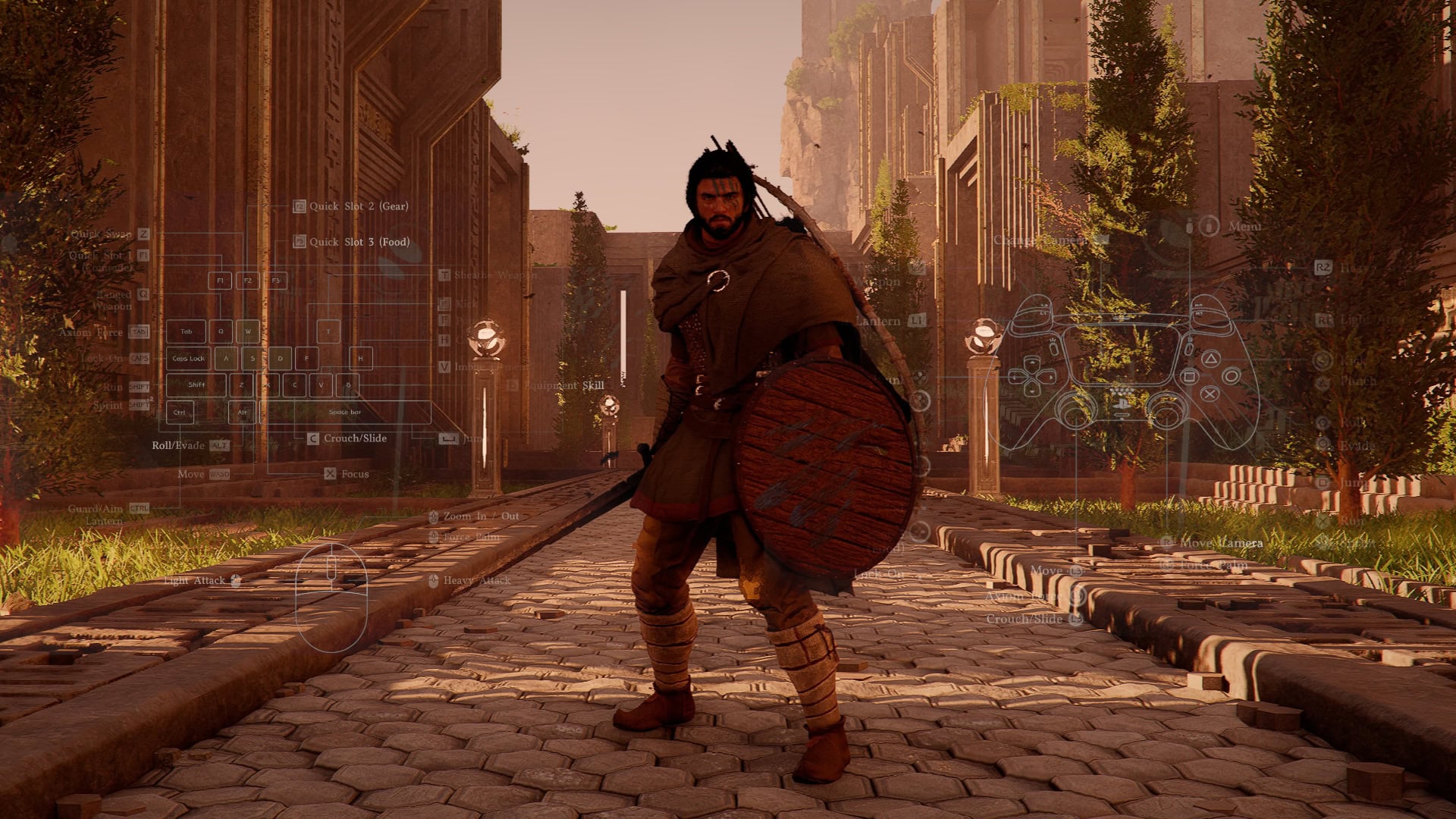
Basic vs Classic Movement Controls in Crimson Desert
Patch 1.02.00 finally turns Crimson Desert's movement debate into a settings choice. Here is what Basic and Classic actually change in play.