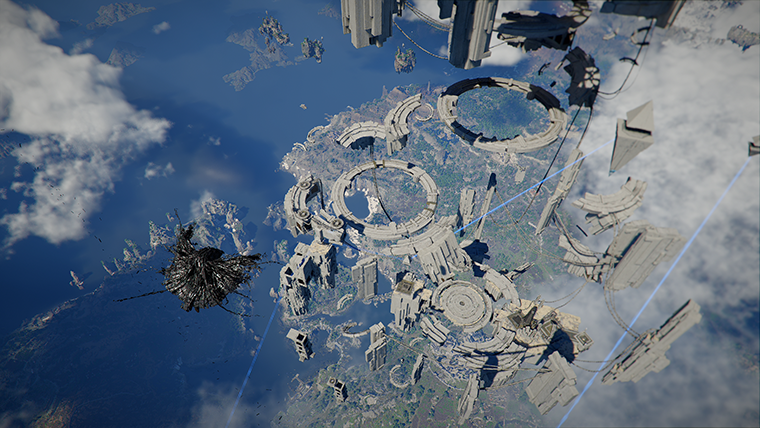
Crimson Desert Dynamic Multi-Frame Generation RTX 50 Guide
Patch 1.05.00 adds Dynamic Multi-Frame Generation under Settings > Video, exclusive to GeForce RTX 50 Series cards via NVIDIA Streamline SDK 2.11.1.
Patch 1.05.00 adds Dynamic Multi-Frame Generation to Crimson Desert's video settings, gated to GeForce RTX 50 Series cards through the new NVIDIA Streamline SDK 2.11.1. It is the patch's biggest PC graphics addition.
Quick answer
Pearl Abyss writes:
"With the implementation of NVIDIA Streamline SDK 2.11.1, the 'Dynamic Multi-Frame Generation' option has been added under Settings > Video. (GeForce RTX 50 Series exclusive)"
What that means in concrete terms:
- the option lives in
Settings > Video - it requires a
GeForce RTX 50 Seriescard to appear - it ships through
NVIDIA Streamline SDK 2.11.1 - it is not available on
RTX 40series,RTX 30series, or older cards
Where the option appears
Pearl Abyss is specific about the menu location. The new toggle is under:
Settings > Video
That is the same menu that already houses Crimson Desert's other PC graphics options. There is no separate menu and no command-line flag involved; it is a normal in-game setting.
If you are on an RTX 50 card and the option does not appear, the most likely causes are:
- the patch has not finished applying (verify your build is on
1.05.00) - the GPU driver does not support the version of Streamline this patch ships with
- the GPU is not detected as an RTX 50 series card by the system
Pearl Abyss does not publish a minimum driver version in the patch note for this option. Keep your NVIDIA driver up to date as a baseline.
What "Dynamic Multi-Frame Generation" actually is
Pearl Abyss does not define Dynamic Multi-Frame Generation in detail in the 1.05.00 patch note beyond naming it and crediting NVIDIA Streamline SDK 2.11.1. The Streamline SDK is NVIDIA's plug-in framework for AI-driven frame generation and upscaling features.
Two things matter for in-game expectations:
- Multi-Frame Generation is the family of features that interpolates additional frames between rendered frames, not just the single-frame interpolation older feature levels offered
- Dynamic in this context implies the frame-generation factor adapts to current frame conditions rather than being fixed
Pearl Abyss does not publish target FPS or quality numbers, so anything specific you read elsewhere about performance gains in Crimson Desert should be treated as third-party benchmarks, not Pearl Abyss confirmation.
Why it is RTX 50 exclusive
Pearl Abyss labels the option (GeForce RTX 50 Series exclusive) and ties it to NVIDIA Streamline SDK 2.11.1. NVIDIA's Multi-Frame Generation feature in this generation requires hardware-level support that is only available on RTX 50 cards. Older NVIDIA cards (RTX 40, RTX 30) and AMD/Intel GPUs do not get this specific option.
That does not leave older or non-NVIDIA cards without options. The 1.04.00 patch already improved:
[PC]AMD FSR Ray Regeneration[PC]Intel XeSS 3.0andIntel XeSS Frame Generation
Those are still in place after 1.05.00. The new toggle is purely an addition for RTX 50 hardware.
How to enable Dynamic Multi-Frame Generation
Based on Pearl Abyss's stated location, the in-game flow is:
- Open
Settings > Video. - Locate the
Dynamic Multi-Frame Generationoption. - Toggle it on.
Pearl Abyss does not publish a recommended preset, sub-options (like a frame-generation factor), or a default state. We will update this guide once Pearl Abyss or careful benchmarking confirms what defaults look like in the live build.
When to use it
The natural fit is:
- if you have a GeForce RTX 50 card
- and you want a smoother perceived frame rate
- and you are willing to accept any latency tradeoff that frame generation introduces
Pearl Abyss does not publish a latency comparison in the patch note. If you are sensitive to input latency in close-range combat (especially relevant given the new Vault → Double Jump chain in 1.05.00), test the option in a low-stakes encounter first before committing to it for boss rematches.
What this means for the rest of your settings
Dynamic Multi-Frame Generation is one tool inside the broader video-settings menu. The 1.04.00 patch already improved distant-object rendering, distant-texture rendering, long-distance character quality, and displacement-mapping accuracy — those do not change in 1.05.00. So the most relevant other PC change in 1.05.00 is the new graphics option itself.
Console players are not left out of 1.05.00 either. Pearl Abyss says:
"[Playstation 5 Base / Xbox Series S,X] Added the 'Sharpness Enhancement' option under Settings > Video."
That is the matching console-side video addition.
Rollout: who can use it today
Pearl Abyss's platform rollout for 1.05.00:
Steam (PC): available now → RTX 50 owners on Steam can use the new optionSteam (Mac): available now → not relevant (no RTX 50 on Mac)PlayStation: available now → not relevant (separate sharpness option)Xbox: available now → not relevant (separate sharpness option)Epic Games Store: available now → RTX 50 owners on Epic can use itMac App Store: "Patch available at a later time (in-progress)" → not relevant for this option
So this is effectively a Windows / Steam or Epic / RTX 50 feature in the live game today.
What is not stated
Pearl Abyss does not publish:
- a minimum driver version
- expected FPS gains
- expected latency cost
- whether the feature is on or off by default
- whether it is compatible with G-Sync, V-Sync, or specific monitor refresh-rate combinations
We will update this guide once Pearl Abyss or careful testing confirms these specifics.
FAQ
Does my RTX 4090 get Dynamic Multi-Frame Generation?
No. Pearl Abyss says the feature is GeForce RTX 50 Series exclusive. RTX 40 series cards do not get this option.
Is this DLSS 4?
Pearl Abyss does not mention DLSS 4 by name in the 1.05.00 patch note. The patch note specifically credits NVIDIA Streamline SDK 2.11.1 and names the option Dynamic Multi-Frame Generation.
Can I combine it with FSR or XeSS?
Pearl Abyss does not say in the 1.05.00 patch note. The other vendors' features were updated in 1.04.00 for PC.
Is there a console equivalent?
Pearl Abyss adds a Sharpness Enhancement option for PlayStation 5 Base and Xbox Series S, X in the same patch. It is not the same feature, but it is the matching console-side video improvement.
What about RTX 50 laptop GPUs?
Pearl Abyss writes GeForce RTX 50 Series without distinguishing desktop and laptop. Laptop RTX 50 cards are part of the same series naming.
Conclusion
Dynamic Multi-Frame Generation is the marquee PC graphics feature in patch 1.05.00, gated to GeForce RTX 50 Series cards through NVIDIA Streamline SDK 2.11.1 and located under Settings > Video. It is a clean, in-menu toggle for a specific subset of hardware, not a config-file workaround.
What to read next
- Crimson Desert Patch 1.05.00 Explained
- Crimson Desert Boss Rematch System Live Explained
- Crimson Desert Vault Skill and Double Jump After 1.05.00
- Crimson Desert Re-blockade System Live Explained
Research Notes / Sources
- Pearl Abyss,
Patch Notes Version 1.05.00, published May 2, 2026: https://crimsondesert.pearlabyss.com/en-us/News/Notice/Detail?_boardNo=88 - Last checked: May 2, 2026.
その他のガイド
Crimson Desert Re-blockade System Live Explained
Patch 1.05.00 ships the Re-blockade system live with Stable, Conflict, and War settings, covering 13 factions across 23 forts and quarries. Here is exactly how it works.

Crimson Desert Guard Damage Reduction Buff in 1.05.00
Patch 1.05.00 increases the damage reduction rate applied upon a successful guard for all weapon types. Here is what the buff means in practice.
Crimson Desert Boss AI Revival Change in Patch 1.01.00: No More Instant Attacks After Death
Patch 1.01.00 reduced how often bosses and enemies attack you the instant you revive after death. Here is what changed, which fights benefit most, and the still-active Gregor boss revival bug.
Newsletter
Join the community
Subscribe to our newsletter for the latest news and updates