Crimson Desert Patch 1.14.00 Explained: Cross-Save, Platforms & Fixes
Crimson Desert Patch 1.14.00 adds Cross-Save for PlayStation, Xbox, Steam, and Epic Games Store, plus quest, pet-bed, combat, mount, and audio fixes.
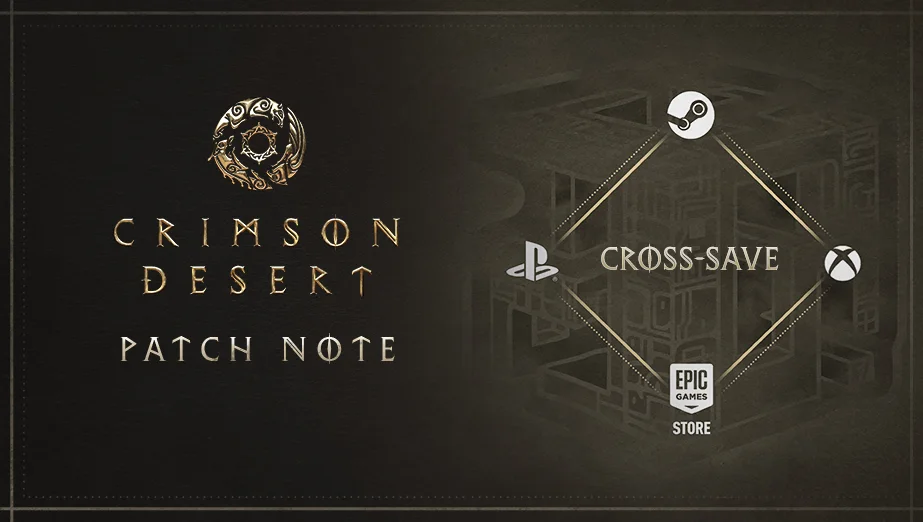
Crimson Desert Patch 1.14.00 launched on July 16, 2026, with one major feature: Cross-Save between PlayStation, Xbox, Steam, and Epic Games Store.
The rest of the patch is a compact collection of quest, combat, mount, NPC, and audio fixes. It is not a large content drop like 1.13.00, but Cross-Save materially changes how players can move an existing playthrough from console to PC or between storefronts.
Quick answer
Patch 1.14.00 adds and fixes:
- Cross-Save for
PlayStation,Xbox,Steam, andEpic Games Store - the blocked
A Dwarf's Concernquest - the control lock caused by a pet jumping onto a bed
- Damiane's
Skystepinput so it matches Oongka'sVertical Flight Aerial Force Palmbeing interrupted during free fall- unnatural rider motion on fast-moving mounts
- missing sound after the
Praevus the Ancientbattle - lingering
Ator's Orbsound effects - NPCs failing to pass through open wooden gates
Patch availability
Pearl Abyss lists the 1.14.00 rollout as:
Steam (PC): availableSteam (Mac): availablePlayStation: availableXbox: availableEpic Games Store: availableMac App Store: rollout in progress when the notes were published
The patch notes were published at 09:00 UTC on July 16, 2026. Mac App Store players should verify their installed version before trying to load a save created on a newer build.
Cross-Save is the headline feature
Cross-Save lets multiple supported platform accounts use the same save file through a linked Pearl Abyss ID.
The supported platform list is:
- PlayStation
- Xbox
- Steam
- Epic Games Store
Mac is not part of the initial Cross-Save release. Pearl Abyss says it will be added in a future update.
This is especially useful for players moving from PS5 or Xbox to PC without wanting to restart a long playthrough. It also gives players a dedicated cloud slot even when they only link one platform account.
How Cross-Save works in practice
Cross-Save is not an automatic background synchronization system.
The official setup flow is:
- Open the in-game
Savemenu. - Select
Cross-Savein the bottom-right corner. - Scan the QR code or open the provided link.
- Sign in with the current platform account.
- Create or sign in to a Pearl Abyss ID.
- Link the platform account.
- Return to the game and select
Refresh. - Manually save progress to the shared Cross-Save slot.
One Pearl Abyss ID receives one Cross-Save slot. Players must manually update that slot before leaving the source platform, then load it on the destination platform.
For the full setup process, account-linking rules, purchase requirements, and deletion warnings, use the Crimson Desert Cross-Save Guide.
You still need to own the game on every platform
Patch 1.14.00 transfers save data, not licenses.
Moving a save from PlayStation to Steam still requires separate PlayStation and Steam copies of Crimson Desert. The same rule applies to Xbox and Epic Games Store.
Character progress and inventory transfer with the save, but platform-specific paid entitlements may be disabled on a platform where they were not purchased. Cross-Save does not convert one storefront's paid items into ownership on every other storefront.
Mac support is not live yet
There are two separate Mac details in this rollout:
- the
Steam (Mac)game patch is available - Mac is not currently supported by Cross-Save
That distinction matters. Installing 1.14.00 on Steam Mac does not make the Mac version eligible for the new shared slot yet. Pearl Abyss says Mac Cross-Save support is planned for a future update.
The Mac App Store patch itself was also still listed as in progress when the official notes were published.
A Dwarf's Concern progression fix
Patch 1.14.00 fixes an issue that prevented the quest A Dwarf's Concern from being completed.
If this quest was blocked before the update, install the patch, load a recent save, and return to the active quest objective. Pearl Abyss does not list an additional recovery sequence in the notes, so test the quest normally before rolling back progress or starting a new playthrough.
Pet-bed control lock fixed
The previous known-issues list warned that players could lose control of their character when a summoned pet jumped onto a bed during an interaction. The temporary workaround was to unsummon the pet.
Patch 1.14.00 lists this issue as fixed. Players should no longer need to dismiss every pet before using a bed, provided the installed game version is 1.14.00 or later.
Damiane and Aerial Force Palm changes
Damiane's Skystep now uses the same control input as Oongka's Vertical Flight. This is a consistency change rather than a new skill, but it should reduce confusion when switching characters.
The patch also fixes Aerial Force Palm being interrupted while the character is free-falling. If you stopped using the skill in aerial routes because it cancelled unexpectedly, it is worth testing again after updating.
Mount, NPC, and audio fixes
The remaining fixes are narrow but visible:
- rider motion should no longer look unnatural when a mount moves at high speed in certain situations
- sound effects should play correctly after fighting
Praevus the Ancient - the
Ator's Orbsound should stop after the orb disappears - NPCs should be able to walk through open wooden gates
The mount fix appears aimed at a visual animation problem, not a movement-speed balance change. Do not interpret it as a documented mount nerf without separate evidence.
What Patch 1.14.00 does not fix
The official patch notes do not list fixes for several issues still discussed by players, including:
- the food quick-slot selecting weak raw ingredients after a stack is depleted
- every reported PC, PS5, or PS5 Pro performance problem
- Mac Cross-Save support
- FSR4 rain disappearance or distortion
- the Damiane Shield Toss lockout listed in the known-issues notice
Patch 1.13.01 previously improved frame-rate drops in certain environments, but Pearl Abyss does not claim that 1.14.00 is a broad performance overhaul.
Practical checklist
After installing the patch:
- Confirm the title screen or platform client shows version
1.14.00. - Open the Save menu and locate the new
Cross-Savebutton. - Link the correct platform account to your Pearl Abyss ID.
- Keep a local backup before writing to the shared slot.
- If
A Dwarf's Concernwas blocked, revisit the quest objective. - Test bed interactions with a summoned pet.
- Damiane players should check the new
Skystepinput. - Do not move a newer save to a platform that has not received the patch yet.
FAQ
What did Crimson Desert Patch 1.14.00 add?
The main addition is Cross-Save between PlayStation, Xbox, Steam, and Epic Games Store. The patch also contains quest, combat, pet, mount, NPC, and audio fixes.
Can I move a PS5 save to PC now?
Yes. Link PlayStation and Steam or Epic to the same Pearl Abyss ID, manually upload the PS5 save to the Cross-Save slot, and load it on PC.
Does Cross-Save work on Mac?
Not yet. Mac support is planned for a future update.
Is Cross-Save automatic?
No. You must manually save to the shared Cross-Save slot before switching platforms.
Did 1.14.00 fix the pet-bed bug?
Yes. The patch notes say the issue where a pet jumping onto a bed could leave the character uncontrollable has been fixed.
What to read next
- Crimson Desert Cross-Save Guide
- Crimson Desert Patch 1.10.00 Explained
- Best AMD and NVIDIA Drivers for Crimson Desert
- Crimson Desert Known Issues and Workarounds
Sources
- Pearl Abyss,
Patch Notes Version 1.14.00, published July 16, 2026: https://crimsondesert.pearlabyss.com/en-US/News/Notice/Detail?_boardNo=108 - Pearl Abyss,
Crimson Desert Cross-Save FAQ: https://account.pearlabyss.com/Member/Linking/CrimsonDesert - Pearl Abyss,
Known Issues, checked July 16, 2026: https://crimsondesert.pearlabyss.com/en-US/News/Notice/Detail?_boardNo=68
Author

The shared editorial byline for sourced news, patch analysis, and site-wide research maintained by the Crimson Desert HQ team.
Editorial standards
We prioritize official sources, reproducible game evidence, and clearly labeled community reports. Found an error or missing attribution?
Read our editorial policyCategories
Table of Contents
Newsletter
Join the community
Subscribe to our newsletter for the latest news and updates