How to Fix Crimson Desert Fishing Reel-In Not Working on Xbox
If Crimson Desert fishing stops working on Xbox, Pearl Abyss says the problem can come from the device-level Invert Right Stick Y-Axis setting. Here is the official fix.
If Crimson Desert fishing reel-in is not working on Xbox, Pearl Abyss already has a specific official explanation for it. On the live known-issues page, the studio says the reel-in function can fail when the device-level Invert Right Stick Y-Axis setting is enabled.
The official workaround is just as specific: disable that device-level setting. That is the current support-safe answer as of March 28, 2026.
The short version
If fishing works until the reel-in step and then feels broken on Xbox:
- check whether
Invert Right Stick Y-Axisis enabled in the device settings - disable it
- test the reel-in step again
This is not a generic fishing difficulty problem. Pearl Abyss lists it as a known issue with a named trigger and a named workaround.
Why this bug is easy to misread
Most players search for this problem after trying normal fishing advice first:
- getting the right rod
- finding a good spot
- re-learning the minigame
But the official known-issues page says the failure can be upstream from all of that. The problem can come from the Xbox device setting, not from your lure, location, or quest progression.
That is why ordinary fishing guides do not fully solve it.
What Pearl Abyss actually says
The known-issues notice says:
- on
Xbox - the
fishing reel-in functionmay not work properly - when
Invert Right Stick Y-Axisis enabled in the device settings - if you disable it, the reel-in function works normally
That is unusually clear for a launch-week issue. There is no reason to overcomplicate it.
Device setting versus in-game setting
This is the most important distinction in the whole fix.
Pearl Abyss points to the device settings, not just a random in-game preference page. So if you are only changing fishing controls inside Crimson Desert and not touching the Xbox stick-inversion setting, you may not be testing the actual official workaround.
The safest interpretation is:
- this is tied to the broader controller device behavior
- not just to one local fishing input inside the game
That is also why some players stay stuck. They keep changing normal in-game options, but the official issue description points one level higher than that.
The best fix order
1. Check the device-level invert setting
If Invert Right Stick Y-Axis is enabled, turn it off first.
2. Re-test the fishing reel-in step immediately
Do not change five other settings at the same time. You want a clean before-and-after result.
3. Only then troubleshoot anything else
If the reel-in step still fails after the exact official workaround, that is when you move into broader support checks or reporting.
A clean way to test the workaround
Once you change the device-level setting, do not immediately mix in:
- a new fishing spot
- a different rod
- a second controller profile
- unrelated camera changes
Test the same reel-in step as cleanly as possible. That gives you a clearer answer on whether the official workaround fixed this issue or whether something else is also going wrong.
What if you normally play with inverted Y?
That is the annoying part of this issue.
Pearl Abyss does not currently give a more elegant official fix than turning the device-level setting off. So if inverted Y is how you normally play, the safest current workaround is still:
- disable it for fishing
- complete the fishing action
- then decide whether to restore your preferred setting afterward
It is not ideal. It is just the current official answer.
Is this the same as Crimson Desert's normal fishing difficulty?
No.
Crimson Desert fishing can already feel awkward when you are learning it, but Pearl Abyss treating this as a known issue means there is a difference between:
- a player struggling with the minigame
- the reel-in function not working properly because of the device-level invert setting
If you are on Xbox and the latter description fits, start with the official workaround before practicing anything else.
When to report it
If the problem persists after:
- confirming you are on Xbox
- disabling device-level
Invert Right Stick Y-Axis - re-testing the reel-in step
then it becomes worth reporting through the normal support path.
At that point, useful report details include:
- exact platform model
- whether the invert setting was definitely changed
- whether the reel-in failure happens every time
- whether the issue is isolated to fishing
Why this deserves a standalone page
The broad fishing guide helps with normal rods, spots, and the minigame loop. This page answers a very different question: why one specific Xbox reel-in failure can happen even when your fishing setup is otherwise correct.
That distinction saves time. If your real problem is the Xbox invert-setting bug, no amount of rod or bait advice will solve it until the device setting is corrected first.
FAQ
Why is Crimson Desert fishing reel-in not working on Xbox?
Pearl Abyss says this can happen when the device-level Invert Right Stick Y-Axis setting is enabled.
What is the official fix?
Disable the device-level invert-right-stick-Y setting and test the reel-in function again.
Is this a fishing-rod or location problem?
Not according to the official known-issues notice. Pearl Abyss points to the Xbox device setting as the key trigger.
Should I relearn the fishing minigame first?
Only after trying the official workaround. If you match the known-issue trigger, practice will not fix the wrong setting.
What to do next
Use the official device-setting workaround first, then go back to normal fishing advice if needed. Crimson Desert Fishing Guide — How to Get a Rod & Catch Fish helps with the normal system, Crimson Desert Known Issues and Best Workarounds tracks live status changes, and Crimson Desert Patch Notes 1.00.03 Explained gives the broader launch-fix context.
더 많은 가이드

Demeniss Region Guide — All Locations, Bosses, and Noble Houses
Complete guide to the Demeniss region in Crimson Desert, the political capital of Pywel. Covers all locations, noble house factions, bosses, and the intrigue-driven storyline.

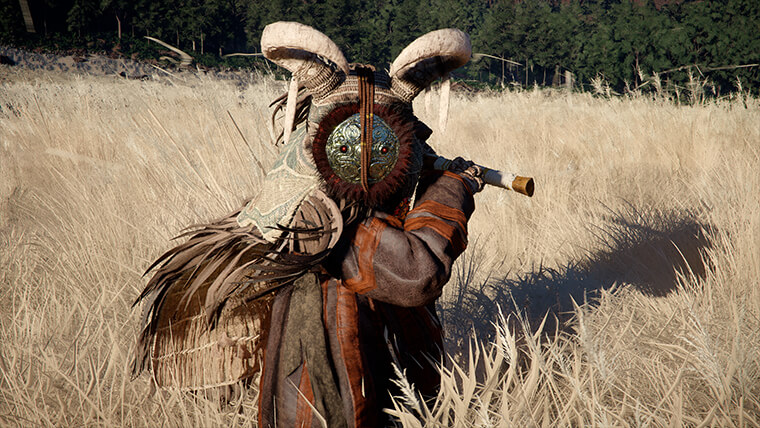
Crimson Desert 5 New Mounts Explained After Patch 1.01.00
Patch 1.01.00 adds five new summonable mounts to Crimson Desert. Here is what Pearl Abyss has officially named so far, and what is still not confirmed.

Best PC Settings for Crimson Desert After Patch 1.02.00
Crimson Desert's best PC settings changed again after patch 1.02.00. The right setup now starts with official driver targets and a stability-first approach.
Newsletter
Join the community
Subscribe to our newsletter for the latest news and updates