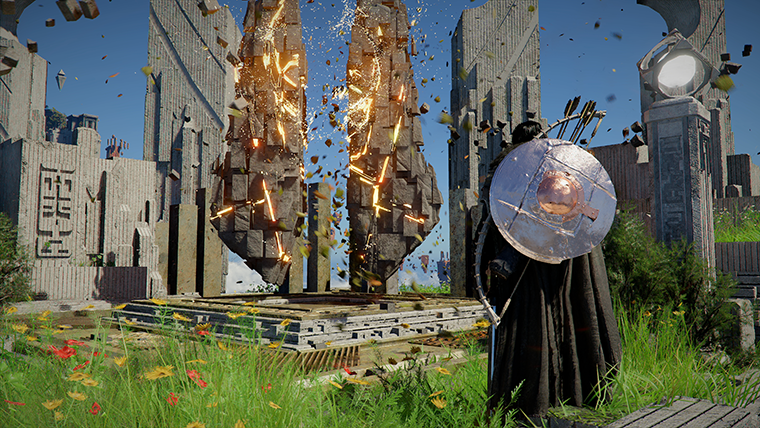
Crimson Desert Keyboard/Mouse and Controller Presets Guide
Crimson Desert is preparing keyboard/mouse and controller presets. Here is how to approach the new layouts, what to test first, and how to avoid breaking your muscle memory.
Crimson Desert's control conversation has changed a lot since launch. Early complaints were mostly about overall feel. By late April, the more useful question is different: once the game offers better defaults and more options, how should players actually choose a layout?
That is where presets matter. They are not a magic solution, but they can remove one of the biggest barriers to returning players and new players alike.
Quick answer
Presets are expected to give players ready-made layouts for keyboard/mouse and controller so they can start from a sensible baseline instead of rebuilding everything by hand.
That matters because Crimson Desert mixes:
- combo-heavy combat
- dodge and parry timing
- flight controls
- mount actions
- fishing and interaction inputs
- menu and ring-menu shortcuts
In a game like this, a bad default layout can make the entire combat system feel worse than it actually is.
Why presets are the right next step
Pearl Abyss already spent April improving the base experience. 1.03.00 adjusted several controls, added new skills, and continued platform-specific support. The official Dev Update then pointed to broader controller customization and keyboard/mouse configuration improvements still to come.
Presets are a logical bridge between those two ideas:
- better defaults for people who do not want to tinker much
- easier starting points for people who do want to customize
That is much more practical than expecting every player to rebuild their own control scheme from scratch.
Who should use presets first
Three player groups should test presets immediately:
- players who quit early because the controls felt awkward
- returning players whose old layout no longer matches the latest patches
- brand-new players who want a clean baseline before building habits
If you already have a tuned custom layout you love, do not overwrite it blindly. Screenshot your current settings first.
What controller players should test first
Controller players should not judge a preset from five seconds of movement in town. Test the actions that actually reveal friction:
- dodge timing
- parry timing
- lock-on and target swap
- jump and climb transitions
- flight and aerial roll
- mounted movement and dismounting
- quick item use
- ring-menu navigation
If one high-frequency action feels wrong, fix that immediately. Small discomfort compounds fast in a game with frequent combat and traversal.
What keyboard and mouse players should test first
Keyboard/mouse players have a different problem: input density. Crimson Desert often asks for several actions in quick succession, so comfort matters more than the theoretical neatness of a layout.
Focus your first test on:
- basic combo strings
- sprint and dodge direction
- lock-on behavior
- interact and loot inputs
Force Palmor equivalent utility actions- mount commands
- character-specific skills such as
Axiom Force
If the preset hides a high-use input on an awkward key, fix it before you spend a full session relearning the wrong thing.
Presets are not replacements for customization
This is where some players will overreact. A preset is not supposed to be perfect. It is supposed to get you 80% of the way there faster.
The best approach is:
- pick the preset that feels closest to your habits
- change only the worst two or three inputs
- test in a real combat scenario
- adjust again only if a problem repeats
Do not change twenty bindings in the same menu session. You will lose track of what actually improved the feel.
Why this matters for returning players
Presets are also a re-entry feature.
Late-April coverage has treated the next update as a chance for former players to reconsider the game, and that makes sense. If inventory and controls were your two main problems at launch, those are also the areas Pearl Abyss is targeting most directly.
A preset system lowers the return cost. You spend less time rebuilding, less time guessing, and more time deciding whether the newer version of Crimson Desert actually fits you better.
One warning about platform-specific issues
Do not confuse presets with bug fixes. The official Known Issues notice still lists platform and input edge cases, including problems related to Steam Input, Nature's Snare, fishing-style right-stick behavior, and some GPU-specific instability.
So if a layout feels broken, check whether you are hitting a real known issue before blaming the preset itself.
Conclusion
Keyboard/mouse and controller presets will not erase every control complaint, but they attack the right part of the problem. Good presets reduce setup time, make returning easier, and give players a safer starting point before they customize.
For Crimson Desert, that is more important than it sounds. In an action-heavy game, the first hour of input comfort decides whether a lot of players stay or leave.
What to read next
- Crimson Desert Controller Input Customization and Keybind Changes Explained
- Crimson Desert Controller Support on PC Explained
- Crimson Desert Keyboard/Mouse Changes After Patch 1.01.00
- Crimson Desert Keyboard/Mouse Settings After Patch 1.00.03
- Basic vs Classic Movement Controls in Crimson Desert
Sources used
- Pearl Abyss announcements index: https://crimsondesert.pearlabyss.com/en-US/News/Notice
- Pearl Abyss, Dev Update: https://crimsondesert.pearlabyss.com/en-US/News/Notice/Detail?_boardNo=82
- Pearl Abyss, Patch Notes Version 1.03.00: https://crimsondesert.pearlabyss.com/en-US/News/Notice/Detail?_boardNo=81
- Pearl Abyss, Known Issues: https://crimsondesert.pearlabyss.com/en-US/News/Notice/Detail?_boardNo=68
- PC Gamer, "This week's Crimson Desert update is the one I'm looking forward to the most": https://www.pcgamer.com/games/rpg/this-weeks-crimson-desert-update-is-the-one-im-looking-forward-to-the-most/
더 많은 가이드
Pearl Abyss Says Future Updates Will Focus on Gameplay, Not Story
A March 2026 shareholder-meeting report suggests Pearl Abyss sees Crimson Desert's story as a weaker area, but says post-launch updates will focus on gameplay improvements instead.

Crimson Desert Intel Arc and XeSS 3 Support After Patch 1.03.00
Patch 1.03.00 adds official Intel Arc GPU support, XeSS 3.0, and XeSS Frame Generation, but Intel users should still watch the known-issues list.
Crimson Desert Observation Twice Knowledge Bug Explained
Pearl Abyss says some knowledge entries can only be acquired after performing Observation twice in certain situations. Here is the current official status and what to do now.