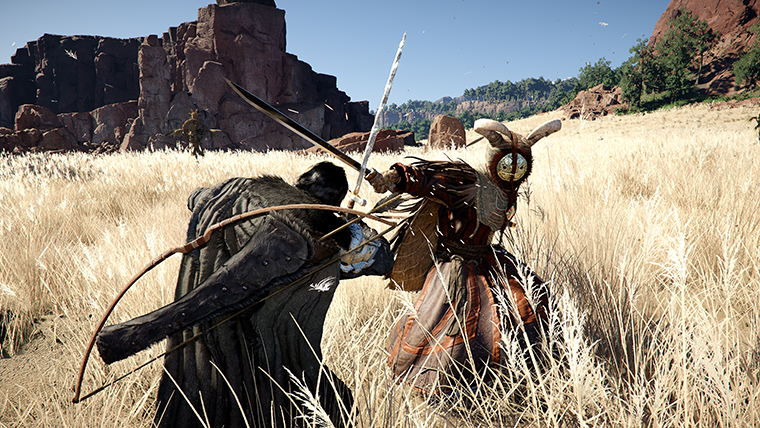
Crimson Desert Keyboard and Mouse Changes After Patch 1.01.00
Patch 1.01.00 gives keyboard and mouse players another real round of fixes in Crimson Desert. Here is what changed after the 1.00.03 control cleanup.
Patch 1.01.00 is not a full reset for keyboard and mouse, but it is another meaningful step in the same direction Pearl Abyss promised when it apologized for the launch-state control experience.
The practical answer is this: 1.00.03 fixed the baseline. 1.01.00 improves the daily friction points that still make mouse-and-keyboard play feel less native than it should.
What patch 1.01.00 changes for keyboard and mouse
The official note lists several Keyboard/Mouse-specific improvements:
- fixed an issue where
Blinding FlashandSpinning Slashcould be interrupted under certain continuous-input conditions - items can now be sold by double-clicking them in shops
- inventory item interaction now uses click logic instead of mouse hover
- left-click selects inventory items
- right-click or double-click uses items
Axiom Forcenow has aPrecise Controlfeature by holdingQor the mouse back button while moving the mouse
The patch also adds a tool-item aim key guide and clearer weapon-draw UI messaging, which are not strictly PC-exclusive but do help keyboard-and-mouse readability.
Why this patch matters even after 1.00.03
The easiest mistake is to think all important PC control work happened in 1.00.03. That is not what the official patch history now shows.
1.00.03 handled the foundational complaints:
- movement responsiveness
- menu hotkeys
- side-button defaults
- shortcut conflicts
- broken rebinding behavior
1.01.00 is different. It targets the places where keyboard and mouse still felt like it was fighting UI or skill behavior:
- skill inputs breaking under continuous use
- inventory interaction behaving in a way that feels un-PC
- shops taking extra clicks
Axiom Forcelacking finer manipulation
That makes this patch more about refinement than rescue.
The biggest change is probably inventory behavior
The skill fixes matter, but the largest day-to-day improvement may be the inventory behavior change.
Pearl Abyss switched item interaction from hover-based use to click-based use. That sounds small until you remember how much time Crimson Desert asks you to spend in menus.
The new behavior is much more normal for PC players:
- left-click selects
- right-click or double-click uses
- double-click selling in shops is supported
That is the kind of cleanup that reduces accidental input friction every single session.
Axiom Force finally gets finer control
The other standout PC change is Precise Control for Axiom Force.
Pearl Abyss says that by holding Q or the mouse back button while moving the mouse, objects can be moved more precisely. That is a very direct answer to a common PC complaint: some interaction systems feel harder to place cleanly than they should.
It also means you probably should not blindly keep your old emergency Axiom Force habits from launch week. Test the new control first.
Skill interruption fixes matter more than they sound
The Blinding Flash and Spinning Slash fix is easy to underrate if those are not your most-used skills. But the real significance is broader: Pearl Abyss is still cleaning up cases where keyboard-and-mouse input logic breaks under real combat pressure.
That matters because launch frustration on PC was never just about sensitivity numbers. It was about the game feeling unreliable when you were trying to execute quickly.
1.01.00 does not claim to solve everything, but it does show the control-fix work is still active.
Should you redo your whole keyboard-and-mouse setup?
Usually no. If you already rebuilt your setup after 1.00.03, do not start from zero unless your binds are still a mess.
Instead, retest:
- your inventory flow
- your shop flow
- one
Axiom Forceinteraction - your usual
Blinding FlashorSpinning Slashinput pattern
If those all feel cleaner, your old layout may already be fine.
What this patch does not promise
The official note does not say:
- that every keyboard-and-mouse issue is now fixed
- that sensitivity curves were redesigned again
- that all skill-input edge cases are solved
- that controller and keyboard parity is complete
So if your setup still feels wrong after 1.01.00, the right response is targeted retesting, not pretending the patch must have fixed everything.
FAQ
Did Crimson Desert keyboard and mouse get better again in patch 1.01.00?
Yes. Pearl Abyss added another set of PC-focused fixes and usability changes on top of the 1.00.03 baseline cleanup.
What is the most useful keyboard-and-mouse change in patch 1.01.00?
For many players, it will be the switch to more normal click-based inventory behavior and the addition of Precise Control for Axiom Force.
Should I rebind everything again after patch 1.01.00?
Probably not. Most players should retest key friction points before rebuilding their entire setup.
Is this article the same as the site's 1.00.03 keyboard settings guide?
No. That older guide is about setup and bind strategy. This one is about the new official changes in 1.01.00.
What to read next
If you still need a full PC layout baseline, start with Best Keyboard and Mouse Settings for Crimson Desert After Patch 1.00.03. For the broader update context, read Crimson Desert Patch 1.01.00 Explained: The Biggest Changes That Actually Matter. If your input issue is actually a platform-support question rather than a patch-change question, Crimson Desert Controller Support on PC Explained is the better companion page.
더 많은 가이드
Crimson Desert AI Art Controversy Explained
The Crimson Desert AI-art story is now clear in outline even if some details are still missing. Pearl Abyss has acknowledged that some early-stage AI-generated 2D props made it into the public build, apologized for the lack of disclosure, and promised an audit plus replacements.

Crimson Desert Food Storage Explained
Food storage is one of the most useful specialized storage ideas in Crimson Desert because it targets cooking friction instead of just giving players more bag space.
Crimson Desert 5 New Mounts Explained After Patch 1.01.00
Patch 1.01.00 adds five new summonable mounts to Crimson Desert. Here is what Pearl Abyss has officially named so far, and what is still not confirmed.
Newsletter
Join the community
Subscribe to our newsletter for the latest news and updates